

Skip to content
Flalingo

English practice

How to write a four-step instruction email in English (A1 beginner): First, Next, Then, Finally

An orderly desk with a printer, digital camera, laptop and USB stick arranged as a simple step sequence, without arrows or text.

A1 English for helping a colleague with office technology: ask for help, give steps with First, Next, Then and Finally, check the result and write a short four-step instruction email.

To explain a simple tech task to a colleague, give one action per step and start with the verb: “First, connect the USB stick. Next, open the folder.” Order the steps with First, Next, Then and Finally, and end with a check: “Does it work now?” An email adds a greeting, the purpose and a closing. This A1 (beginner) topic is for people who help colleagues with office technology in English.

Who this is for

  • Office staff who help colleagues with printers, laptops and shared files in English.
  • New team members who need to ask for help with equipment: “Can you help me? I don’t know how to …”
  • Anyone who sends short how-to emails to colleagues abroad and wants four clear steps instead of one long paragraph.
  • Too early: if a short work email with a greeting, one main line and a closing still feels hard, start with an order confirmation email (A1).
  • Too easy: if you already write clear step-by-step emails, move on to presenting a team email guide with actions, owners and deadlines (A2).

Open the sample pages

Open the sample pages

Word cards

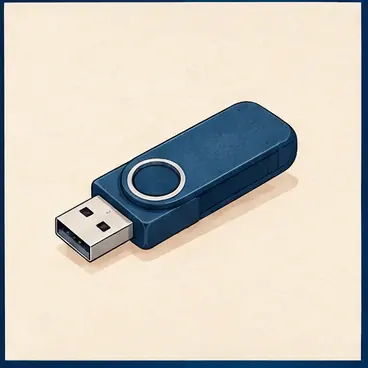
USB stickUSB stick

a small device for storing digital files

Save it on the USB stick.

save

keep a digital file

Save the document.

connect

join one device to another

Connect the camera to the laptop.

open

start a file or folder on a computer

Open the folder.

check

look at something to see if it is correct

Check the new folder.

Conversation

Maya Can you help me? I don't know how to scan this document.

Owen Sure. First, put the page in the printer.

Maya OK. What next?

Owen Next, click scan. Then save the file on your laptop.

Maya Does it work now?

Owen Yes. The file is there.

Language pattern

Maya Is this your laptop, Owen?

Owen No, that's Lina's laptop. My laptop is over there.

Maya Are these our cables?

Owen Yes, they are. And those are their tablets.

Maya Is that Sam's headset?

Owen Yes, it's his headset. Its cable is very long.

More practice

Write an instructional email

An orderly desk with a printer, digital camera, laptop and USB stick arranged as a simple step sequence, without arrows or text.

Hi Maya,

Here are the steps to share the file.

First, connect the USB stick.

Next, open the folder.

Then, save the file.

Finally, check the new folder.

Does it work now?

Best,

Owen

Instruction rhythm and checking

Maya First, connect the printer.

Owen Next, switch it on.

Maya Then, scan the document.

Owen Does it work now?

Maya Yes, I think so.

Learn this unit
How would you like to learn?
Have an account?

A free account opens one unit for good.

Asking a colleague for help

Two short sentences start the request: “Can you help me?” and “I don’t know how to …” with a verb. For the next step, ask “What next?”

In the exchange below, the helper gives three spoken steps and the talk ends with a check. Then ask for help with your own problem: “I don’t know how to connect the webcam.”

Maya Can you help me? I don't know how to scan this document.

Owen Sure. First, put the page in the printer.

Maya OK. What next?

Owen Next, click scan. Then save the file on your laptop.

Maya Does it work now?

Owen Yes. The file is there.

Office words and action verbs

Learn each thing with “the”, because you usually mean one specific machine: “the printer”. “USB stick” is common in British English; American English often says “flash drive”.

An instruction starts with the base verb and no “you”: “Save the document.” This is normal and polite for steps. A pronoun goes inside “switch on” and “switch off”: “Switch it on.”, not “Switch on it.” Button names take no “the”: “Click Save.”

  • laptop, desktop computer, tablet, printer, projector, webcam, headset, USB stick
  • switch on / switch off – “Switch off the projector.”
  • connect – “Connect the camera to the laptop.”
  • open, click, enter – “Open the folder.” “Click the blue icon.” “Enter your password.”
  • scan, print, save, send, check – “Scan the report.” “Send the file to Maya.”

Putting steps in order: First, Next, Then, Finally

“First” opens, “Next” and “Then” carry the middle steps, and “Finally” marks the last step only. In writing, a comma usually follows the sequence word: “Next, open the folder.”

Spoken instructions work best in about three steps, with a short pause after each sequence word so your colleague hears that a new step is starting. Listen for that rhythm:

Maya First, connect the printer.

Owen Next, switch it on.

Maya Then, scan the document.

Owen Does it work now?

Maya Yes, I think so.

Writing the four-step email

An instruction email has five parts. Put each step on its own line; you can also number them.

Check the logic: nobody can open the folder before the USB stick is connected. Then test it: give the email to someone and watch them follow it without help.

  • Greeting: “Hi Maya,”
  • Purpose: “Here are the steps to share the file.”
  • Steps: “First, connect the USB stick.” “Next, open the folder.” “Then, save the file.” “Finally, check the new folder.”
  • Check: “Does it work now?”
  • Closing: “Best,” and your name on the next line
Learn this unit your way

Whose is it? my, your, Lina’s, this and that

Use my, your, his, her, our or their before a thing, and ’s after a person’s name: “That’s Lina’s laptop. My laptop is over there.” Use this and these for things near you, that and those for things further away.

  • “Is this your laptop?”
  • “Are these our cables?” – “Yes, they are.”
  • “Is that Sam’s headset?” – “Yes, it’s his headset.”
  • “Its” means belonging to it: “Its cable is very long.” “It’s” means “it is”.

Common mistakes

People will understand you, but these slow your colleague down:

  • “After, save the file.” Say “Then, save the file.” or “After that, save the file.”
  • “Switch on it.” Say “Switch it on.”
  • “Open folder.” Say “Open the folder.”
  • “Lina laptop.” Say “Lina’s laptop.”
  • “Finally” for step two. Keep it for the last step, or your colleague may stop too early.
  • Two actions in one step. Split them into two steps.

A 10-minute daily practice routine

Use a real task from your own desk.

  • 3 minutes: play the first exchange, repeat each line, then ask for help with your own problem.
  • 2 minutes: point at five things near you and give an instruction for each: “Switch on the printer.”
  • 3 minutes: write a four-step email, for example how to join an online meeting.
  • 2 minutes: follow your steps exactly as written and fix any step that fails.

What comes next

Next, ask for a meeting and confirm the date by email. At A2, you can write clear team emails that name the action, one owner and a deadline.

Frequently asked questions

How do you write step-by-step instructions in an English email?

Open with a greeting and the purpose. Put each step on its own line with a sequence word and a verb: “First, connect …”. End with a check such as “Does it work now?” and a closing.

Is there a difference between “next” and “then” in instructions?

Not in a list of steps: both mean the step that follows. Use both to avoid repetition, and keep “finally” for the last step. Say “after that”, not “after” alone.

Is it “switch on” or “turn on” a computer?

Both are correct. “Switch on” is especially common in British English; “turn on” is used everywhere. A pronoun goes in the middle: “Turn it off.”

Learn this unit
How would you like to learn?
Have an account?

A free account opens one unit for good.

What comes next?

Keep practising with Flai

Flai is Flalingo's AI speaking-practice app, with voice conversations, corrections and lesson reports to guide your practice.

Business English with a live teacher

Flalingo business lessons are one-to-one with a live teacher and built around situations like this one.